
Identify your WYBOT before troubleshooting
A WYBOT that stops early, misses debris, or will not start needs checks that match its model. Photograph the model label and note any indicator light or app message. Battery-powered models require charging checks; instructions for a corded robot’s floating cable and power supply do not apply to every WYBOT.
The WYBOT C1 shown here is a cordless example. Product revisions can differ, so use the manual supplied with your exact unit when checking controls, charger compatibility, operating limits, and storage requirements.
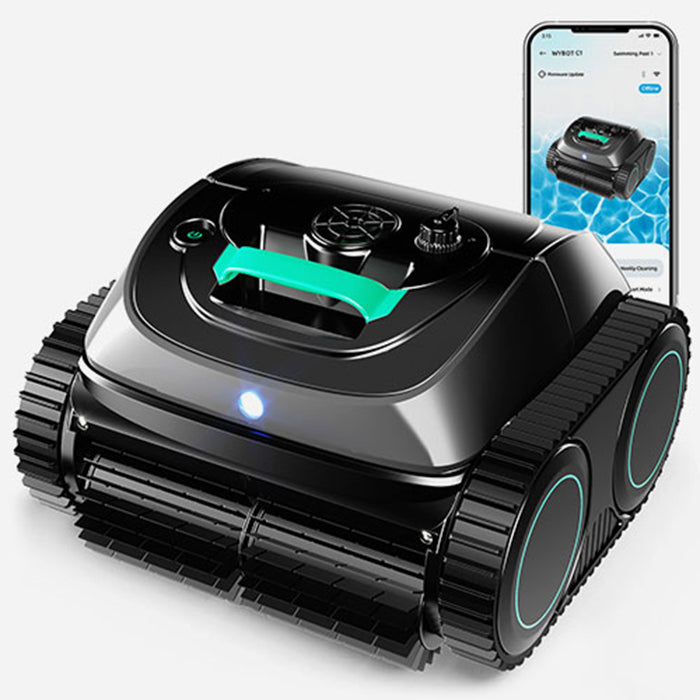
Safe checks for a cordless C1
- Charging: Switch the cleaner off and ensure the charging port is dry. Use its specified charger in the dry location and at the distance from the pool required by the manual. Do not charge a wet port or use a damaged charger. Use a GFCI-protected outlet without an extension cord.
- Cleaning performance: Turn the cleaner off before handling the basket or moving parts. Empty and rinse the filter after use, check that it is seated correctly, and inspect accessible areas for loose debris.
- Coverage: Check which cleaning mode is selected before treating missed walls or a short cycle as a mechanical failure. Remove large obstacles and follow the model’s launch instructions.
- App setup: For C1 OS7010C, the official quick guide calls for Bluetooth setup with the robot out of the water. Do not assume an underwater connection failure means the motor has failed.
The C1 OS7010C quick guide also covers retrieval, filter care, and storage. Use it only for the matching model. If your WYBOT is corded, use its own cable and power-supply instructions instead.
Keep people out of the pool while the cleaner operates. The C1 OS7010C manual contains the full safety instructions, including its requirements for operating alongside pool filtration.
When to stop and request help
Stop using or charging a cleaner with a damaged case, cable, or charger, signs of water entering sealed electronics, or unusual heat. Leave battery, motor, and sealed-electronics work to qualified service. Repeated faults after the manual’s owner checks need a diagnosis rather than repeated resets.
Check warranty options before paid repairs
Have the purchase record, model, serial number, and a short description of the fault ready for WYBOT support. Its warranty policy has model-specific coverage and exclusions for unauthorized service. Confirm the applicable terms before a third party opens the unit, and obtain return instructions before shipping it.
Local help in San Angelo
Concho Valley Pool advertises robotic-cleaner service. Call or text 469-585-4093 with the model-label photo and symptoms to ask whether your WYBOT model can be assessed locally. Confirm parts availability, diagnostic charges, and any manufacturer-authorized warranty route before booking.
- San Angelo pool cleaning services
- Contact Concho Valley Pool
- Robotic pool cleaners and service
- Pool chemicals and supplies
- Concho Valley Pool